
Marketing team toolkit

Ideas to build on, yours to make.

117 pastel ideas from four rounds of brand work, each with a ready Claude prompt to make your own version. Nothing here is final: the team picks, Christian decides.

¿En español? Guía de configuración en 5 minutos →

Tap a heart on anything you like. The first time, we ask your name so Christian can see who picked what.

01

Pastel directions

Complete looks: palette, gradient, type, the octopus finish, a cover and a product card.

LinenWarm editorial calm.R2 · Brand proposal · p5
Linen · SystemLinen: the palette, by roleR2 · Brand proposal · p6
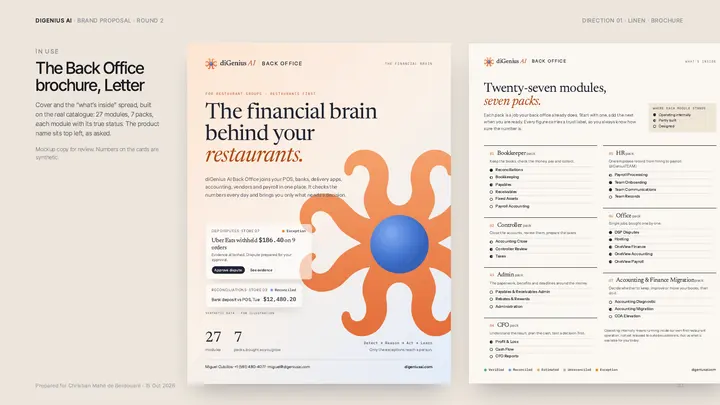
Linen · BrochurediGenius AI BAC K O F F I C ER2 · Brand proposal · p7
Linen · TouchpointsLinen beyond the brochureR2 · Brand proposal · p8
MistClarity you can see through.R2 · Brand proposal · p9
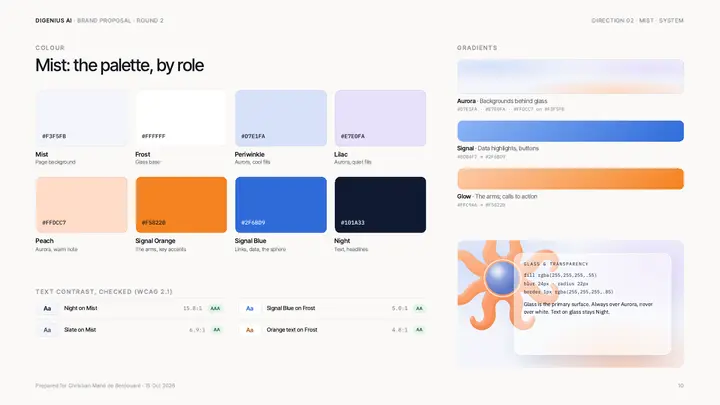
Mist · SystemMist: the palette, by roleR2 · Brand proposal · p10
Mist · BrochureR2 · Brand proposal · p11
Mist · TouchpointsMist beyond the brochureR2 · Brand proposal · p12
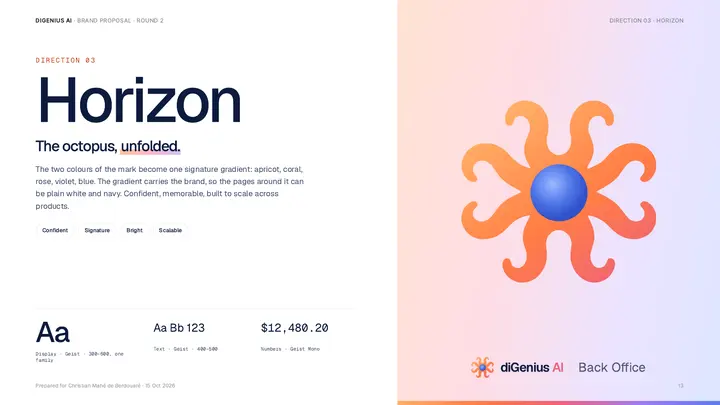
HorizonThe octopus, unfolded.R2 · Brand proposal · p13
Horizon · SystemHorizon: the palette, by roleR2 · Brand proposal · p14
Horizon · BrochureR2 · Brand proposal · p15
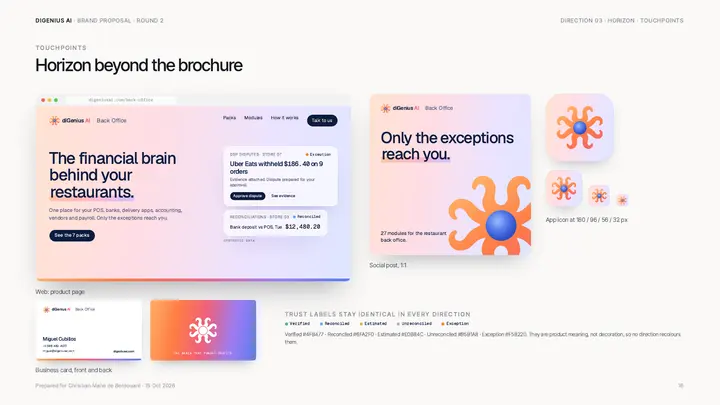
Horizon · TouchpointsHorizon beyond the brochureR2 · Brand proposal · p16
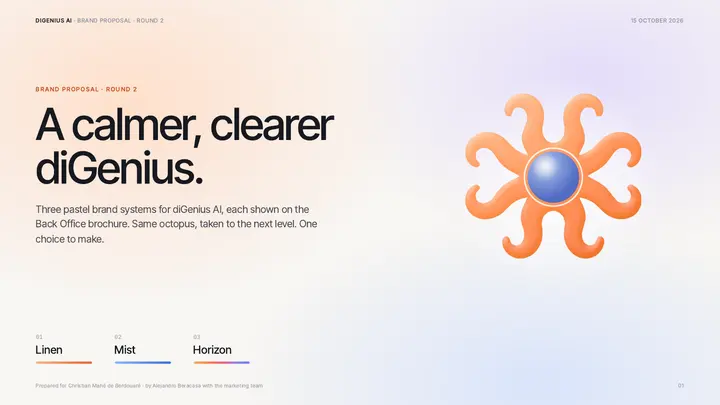
Side By SideThree ways to be elegant.R2 · Brand proposal · p17
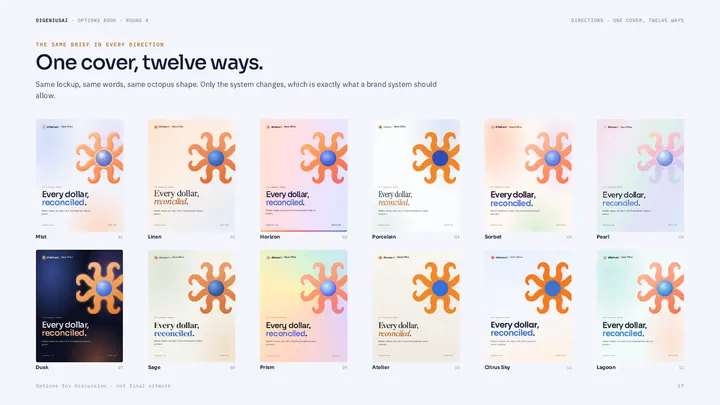
Directions · OverviewTwelve ways diGeniusAI could look.R4 · Options book · p5
MistCalm intelligenceR4 · Options book · p6
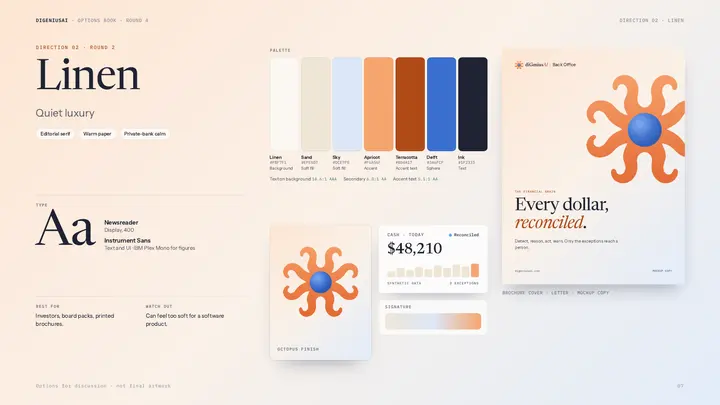
LinenQuiet luxuryR4 · Options book · p7
HorizonOptimistic techR4 · Options book · p8
PorcelainCool precisionR4 · Options book · p9
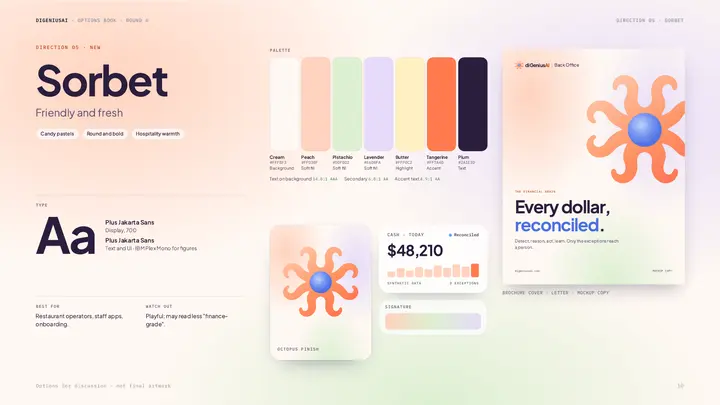
SorbetFriendly and freshR4 · Options book · p10
PearlIridescent premiumR4 · Options book · p11
DuskThe night shiftR4 · Options book · p12
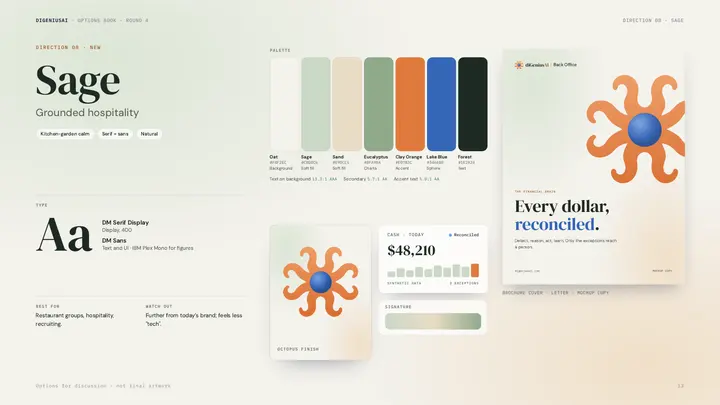
SageGrounded hospitalityR4 · Options book · p13
PrismHolographic dataR4 · Options book · p14
AtelierEditorial authorityR4 · Options book · p15
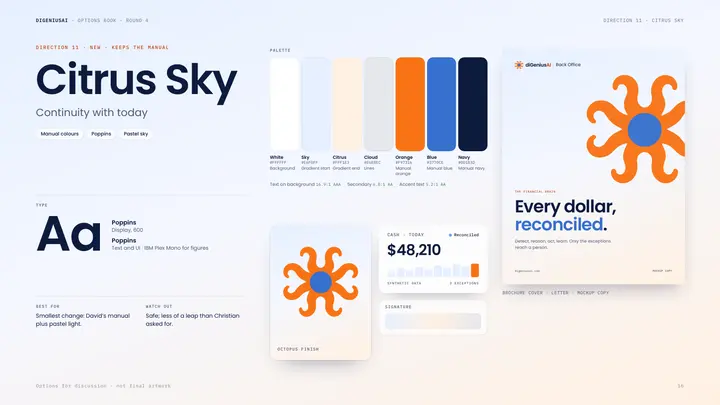
Citrus SkyContinuity with todayR4 · Options book · p16
LagoonFresh, South FloridaR4 · Options book · p17
Directions · The MapWarm or cool. Quiet or expressive.R4 · Options book · p18
Directions · One Cover, Twelve WaysOne cover, twelve ways.R4 · Options book · p19
02

The mark

The octopus, its finishes and the new dG short form. Same drawing, many finishes.

The Octopus, Next LevelSame shape. A new finish.R2 · Brand proposal · p3
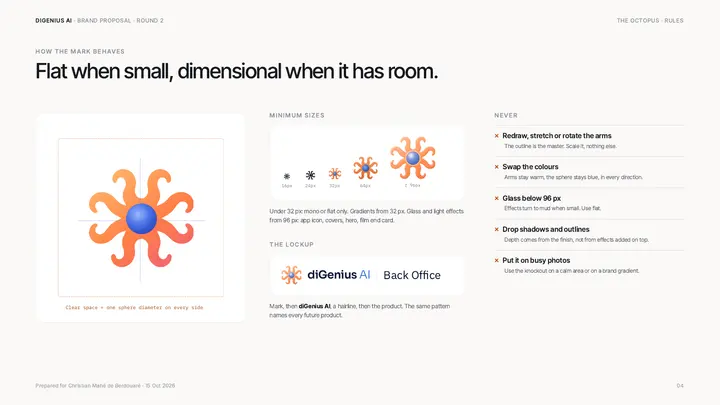
The Octopus · RulesFlat when small, dimensional when it has room.R2 · Brand proposal · p4
The MasterbrandSymbol, monogram, wordmark, lockup.R3 · Brand system vision · p5
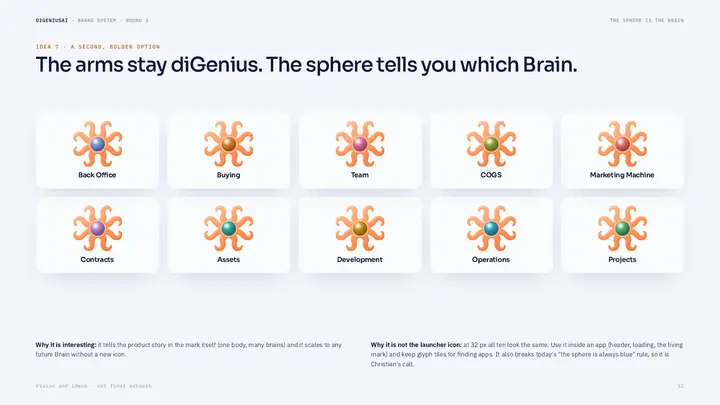
The Sphere Is The BrainThe arms stay diGenius. The sphere tells you which Brain.R3 · Brand system vision · p12
The Living MarkThe octopus already has ten states. Keep them.R3 · Brand system vision · p16
The Mark · FinishesOne shape. Sixteen finishes.R4 · Options book · p21
The Mark · ConstructionBuilt on the sphere. Measured by the sphere.R4 · Options book · p22
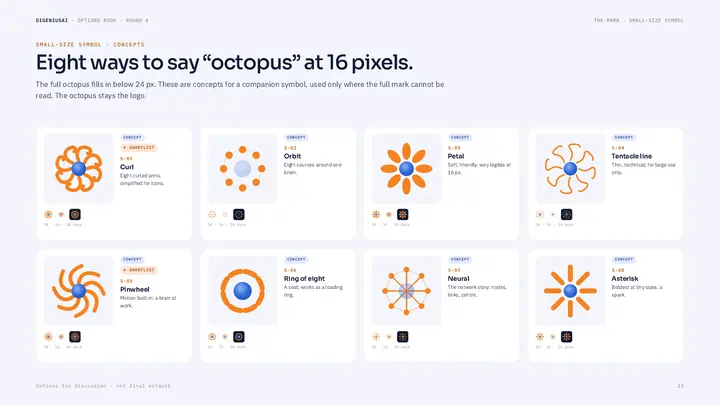
The Mark · Small-Size SymbolEight ways to say “octopus” at 16 pixels.R4 · Options book · p23
Wordmark · TypefacesSame name, twelve voices.R4 · Options book · p26
Name · SpellingOne name, written one way, everywhere.R4 · Options book · p27
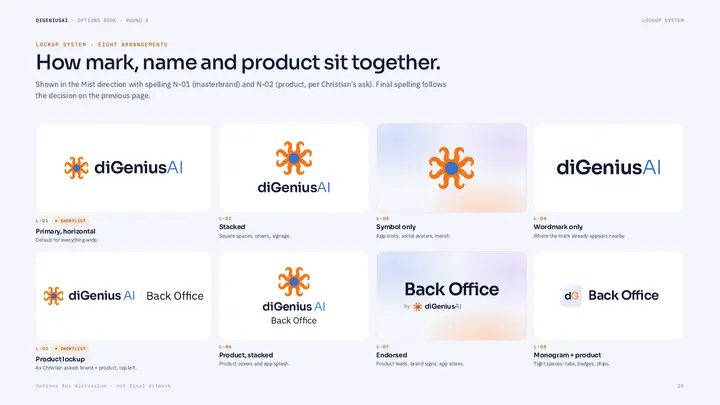
Lockup SystemHow mark, name and product sit together.R4 · Options book · p28
Naming · The BrainsThree ways to name twelve products.R4 · Options book · p29
The Mark · MisuseEight ways to break the mark. Never do these.R4 · Options book · p30
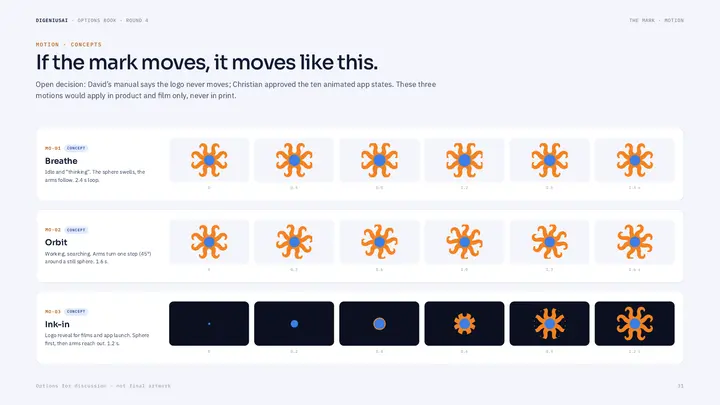
The Mark · MotionIf the mark moves, it moves like this.R4 · Options book · p31
Look-AlikesWhat is already out there, and what that rules out.R5 · dG monogram study · p3
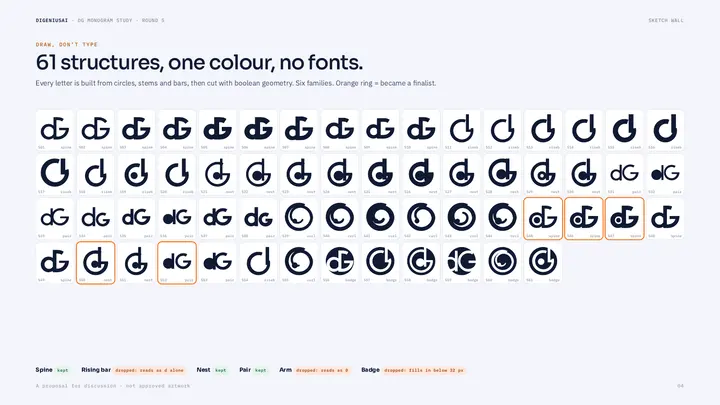
Sketch Wall61 structures, one colour, no fonts.R5 · dG monogram study · p4
FinalistsBuilt on a grid, shown in black first.R5 · dG monogram study · p5
Construction · F-A2Two circles, one shared stem, one sphere.R5 · dG monogram study · p6
Construction · F-B And F-CThe other two, built the same way.R5 · dG monogram study · p7
Stress TestsReal pixels, not vectors.R5 · dG monogram study · p8
LineupsIn a browser tab and on a home screen.R5 · dG monogram study · p9
RecommendationF-A2 Spine, in Track A for print and Track B for screens.R5 · dG monogram study · p15
03

Colour and light

Navy and orange, with pastel light made from them. Gradients, glass, icons, charts.

Colour ArchitectureEach layer has one job.R3 · Brand system vision · p8
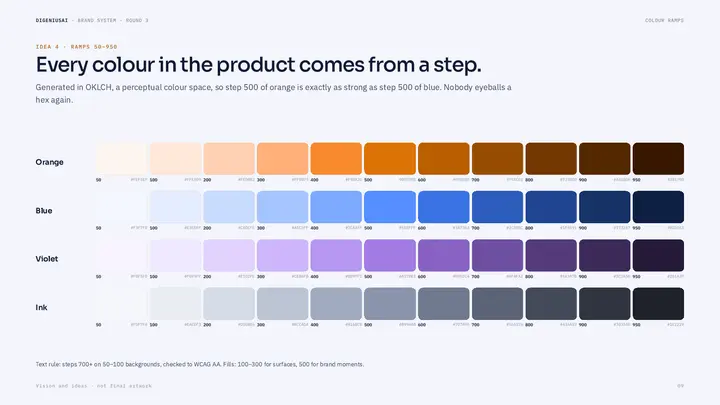
Colour RampsEvery colour in the product comes from a step.R3 · Brand system vision · p9
Brain SpectrumTen hues, equally soft, one per Brain.R3 · Brand system vision · p10
Colour · Gradient LibraryTwenty-four pastel lights, in four families.R4 · Options book · p33
Colour · How The Light Is BuiltHow the brand light is built.R4 · Options book · p34
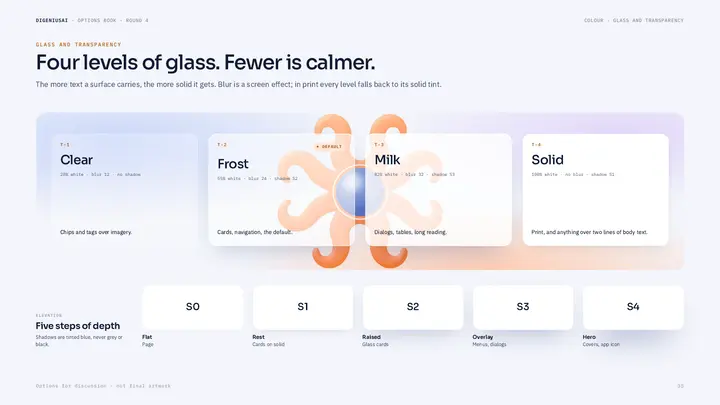
Colour · Glass And TransparencyFour levels of glass. Fewer is calmer.R4 · Options book · p35
Colour · Brain Colour SchemesFour ways to colour ten Brains.R4 · Options book · p36
Colour · App Icon StylesOne family of icons, five possible finishes.R4 · Options book · p37
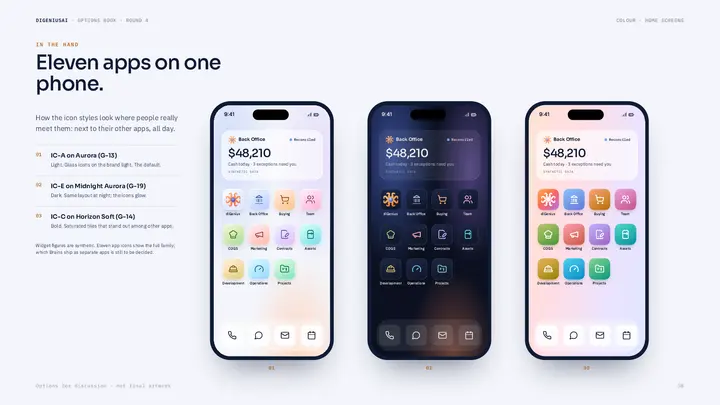
Colour · Home ScreensEleven apps on oneR4 · Options book · p38
Colour · IconographyTwelve icons, four voices.R4 · Options book · p39
Colour · Data VisualisationCharts that stay calm and never fake a status.R4 · Options book · p40
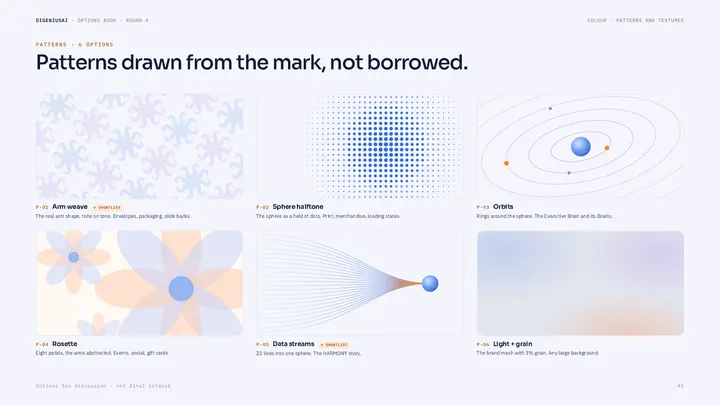
Colour · Patterns And TexturesPatterns drawn from the mark, not borrowed.R4 · Options book · p41
Colour · Dark ModeDark mode is designed, not inverted.R4 · Options book · p42
Colour · Track ANavy and orange, consistently.R5 · dG monogram study · p10
Colour · Track BThe same navy and orange, with light made from them.R5 · dG monogram study · p11
04

Product

App screens and the UI kit: how the brand feels inside the software.

App IconsSame shape, same light, a different hue.R3 · Brand system vision · p11
Product Ui Kit · FoundationsR3 · Brand system vision · p13
Product Ui Kit · ComponentsBuilt once, used by all ten Brains.R3 · Brand system vision · p14
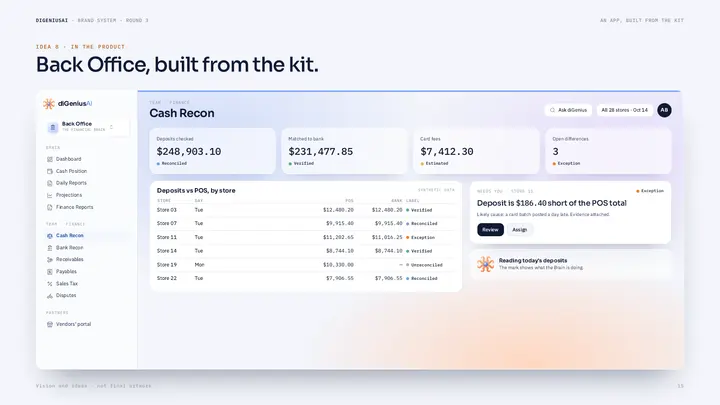
An App, Built From The KitBack Office, built from the kit.R3 · Brand system vision · p15
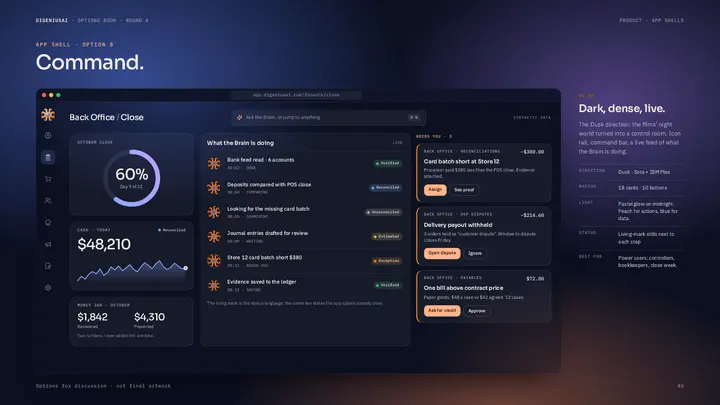
Product · App ShellsR4 · Options book · p44
Product · App ShellsR4 · Options book · p45
Product · App ShellsR4 · Options book · p46
Product · Executive BrainExecutive Brain: one inbox for decisions.R4 · Options book · p47
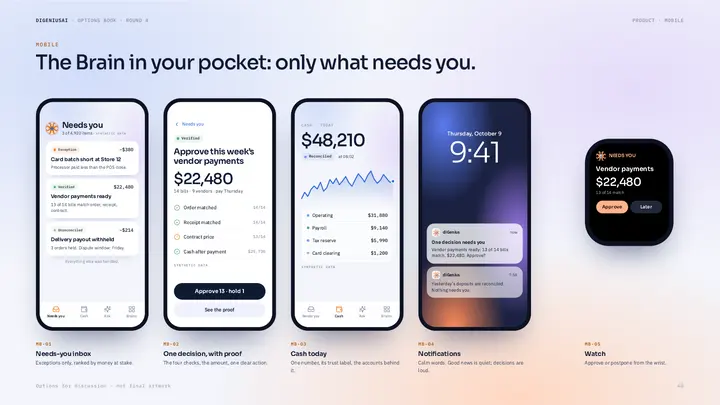
Product · MobileThe Brain in your pocket: only what needs you.R4 · Options book · p48
Product · ComponentsThree component sets, one behaviour.R4 · Options book · p49
Product · TypeThree type systems, tested on the same table.R4 · Options book · p50
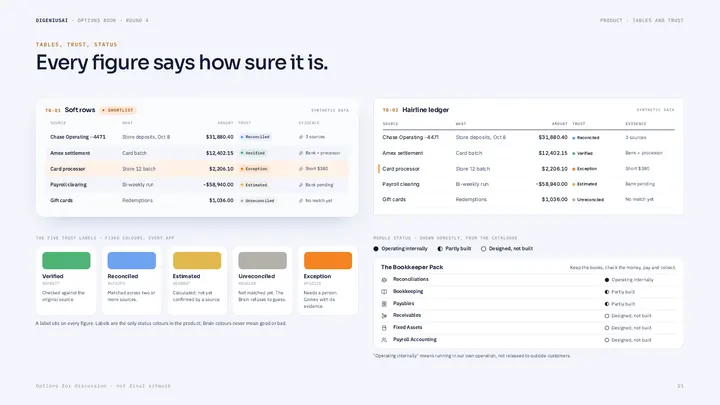
Product · Tables And TrustEvery figure says how sure it is.R4 · Options book · p51
Product · StatesThe living mark is the status language.R4 · Options book · p52
05

Print

Brochures, covers, cards and stationery, built on Christian’s nine-beat formula.

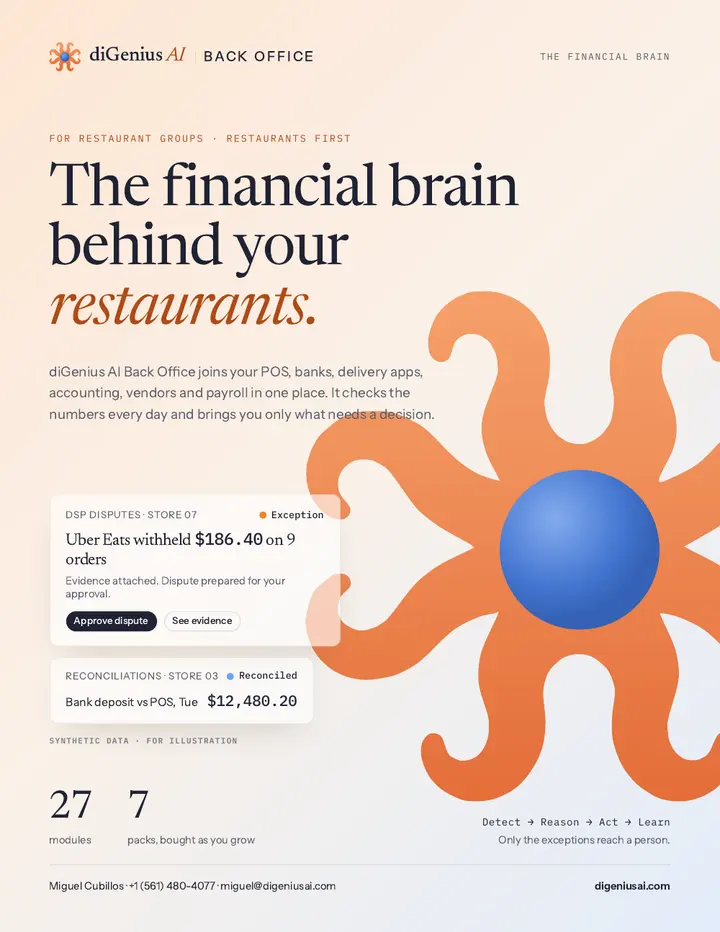
The Financial BrainR2 · Brochure mockups · p1
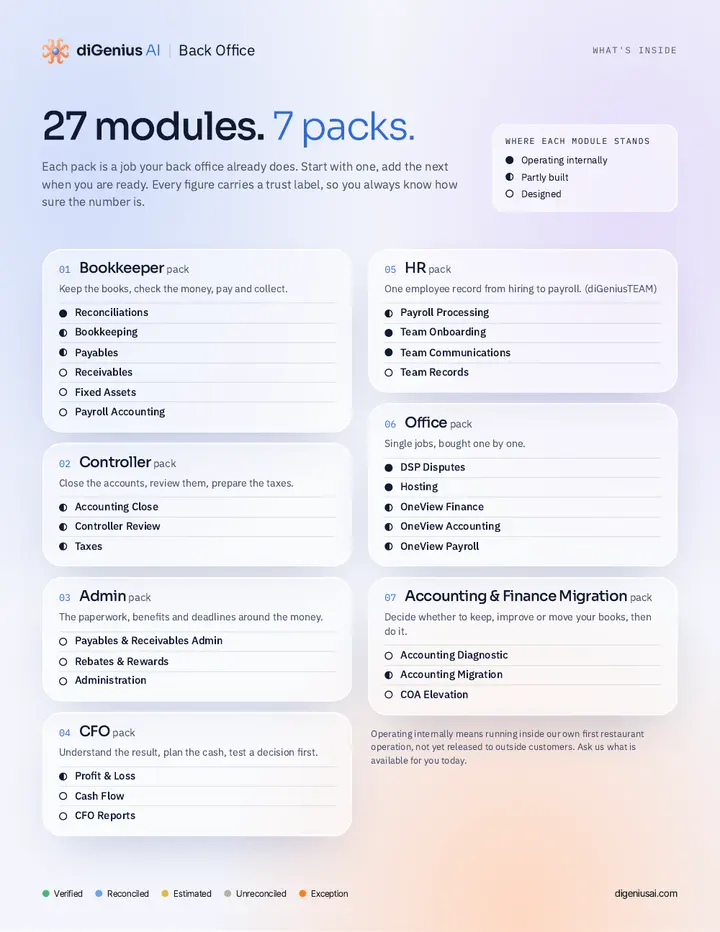
What'S InsideTwenty-seven modules,R2 · Brochure mockups · p2
The Financial BrainR2 · Brochure mockups · p3
What'S Inside27 modules. 7 packs.R2 · Brochure mockups · p4
The Financial BrainDSP DISPUTES · STORE 07 ExceptionR2 · Brochure mockups · p5
What'S Inside27 modules in 7 packs. WHERE EACH MODULE STANDSR2 · Brochure mockups · p6
Business CardsSix cards, front and back.R4 · Options book · p54
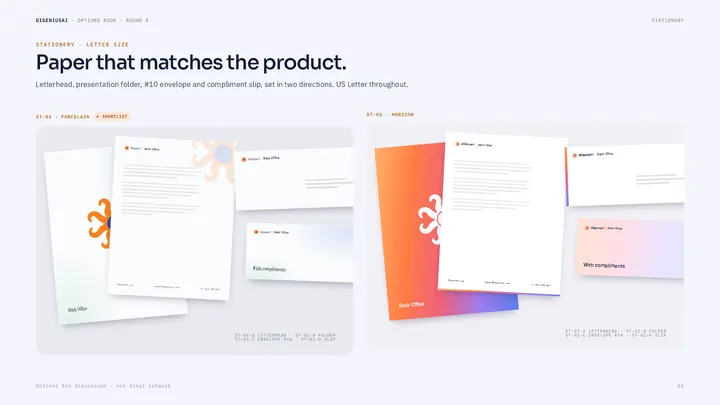
StationeryPaper that matches the product.R4 · Options book · p55
Brochure CoversSix covers, six layouts.R4 · Options book · p62
In Use · Track ATrack A · navy and orange, as briefedR5 · dG monogram study · p12
In Use · Track BTrack B · with our pastel lightR5 · dG monogram study · p13
06

Web and world

Website, social, decks, signage, merch and video titles.

EmailSignatures and the newsletter.R4 · Options book · p56
WebsiteThree ways to open the website.R4 · Options book · p57
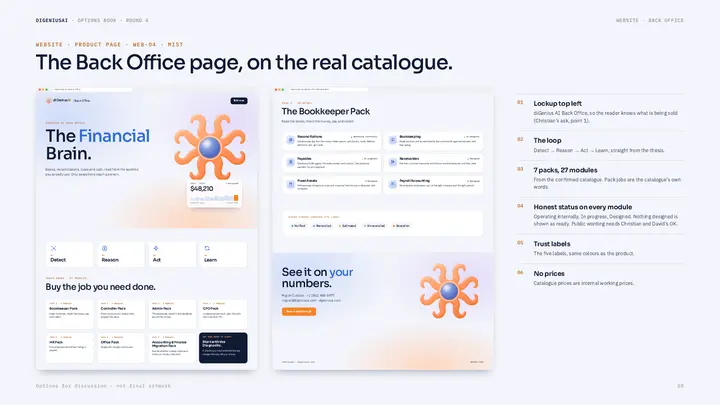
Website · Back OfficeThe Back Office page, on the real catalogue.R4 · Options book · p58
SocialHOW IT THINKS Shown in nine directions so you can compare them side by side. A real feed uses oneR4 · Options book · p59
ProfilesLinkedIn, avatars and video thumbnails.R4 · Options book · p60
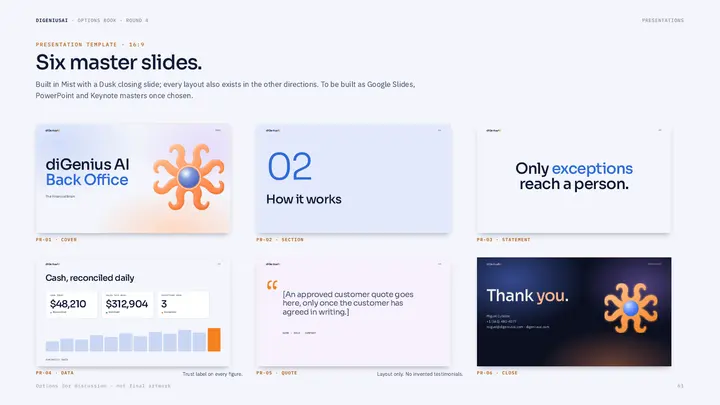
PresentationsSix master slides.R4 · Options book · p61
Spaces And EventsThe brand in a room.R4 · Options book · p63
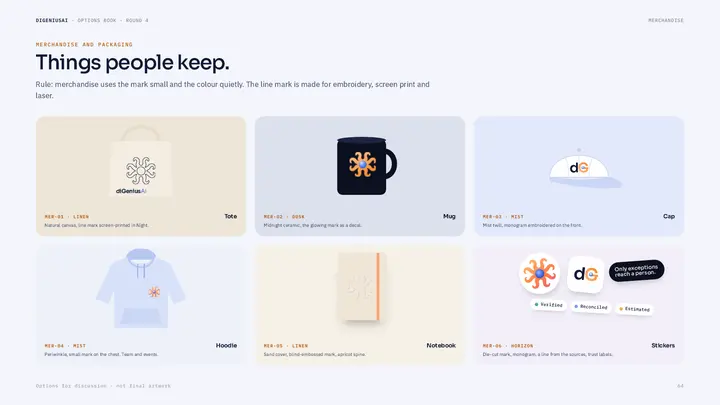
MerchandiseThings people keep.R4 · Options book · p64
VideoTitles, lower thirds, end cards.R4 · Options book · p65
07

The thinking behind it

Briefs, rules, architecture and decisions: why the work looks the way it does.

A calmer, clearerR2 · Brand proposal · p1
The BriefPastels, gradients,R2 · Brand proposal · p2
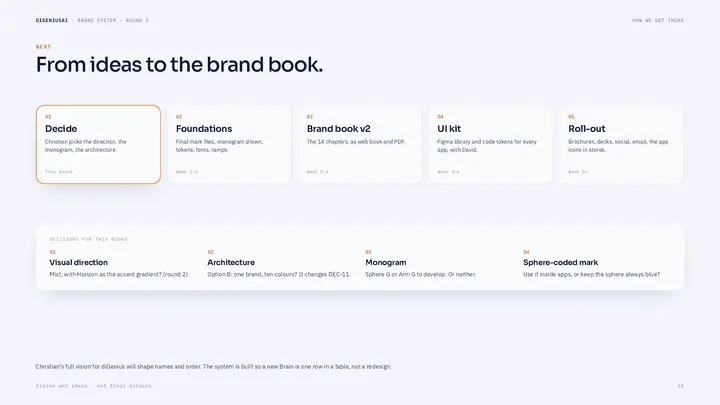
NextFour decisions, then we build.R2 · Brand proposal · p18
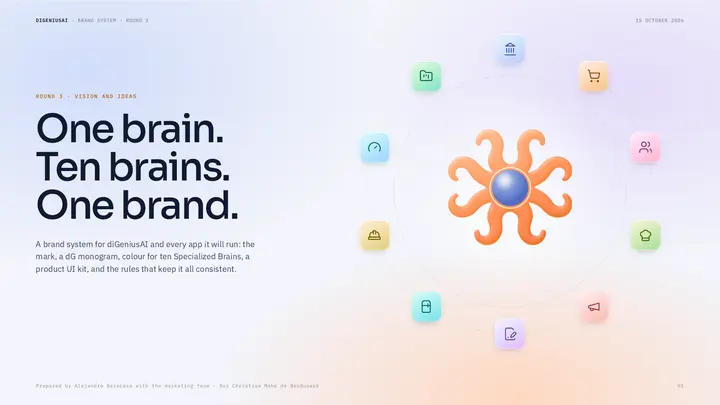
A brand system for diGeniusAI and every app it will run: theR3 · Brand system vision · p1
How diGeniusAI WorksWhat the brand has to carry.R3 · Brand system vision · p2
The Brand BookA brand book at the level of a large company.R3 · Brand system vision · p3
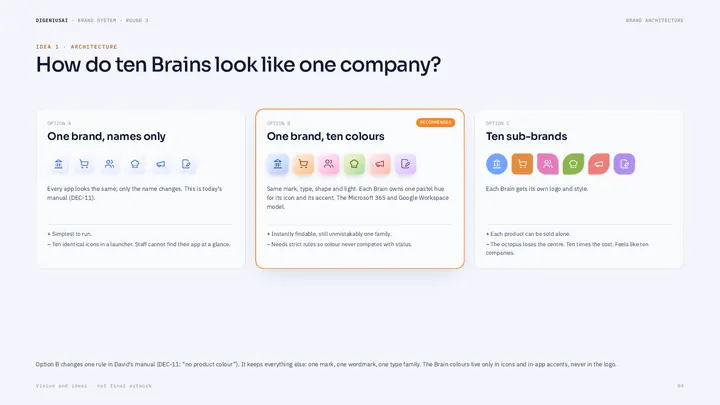
Brand ArchitectureHow do ten Brains look like one company?R3 · Brand system vision · p4
The Digenius StandardTwelve rules that make it look like one company.R3 · Brand system vision · p17
How We Get ThereFrom ideas to the brand book.R3 · Brand system vision · p18
Twelve directions, and options for every piece of the brand: theR4 · Options book · p1
The BriefChristian asked for the next level.R4 · Options book · p2
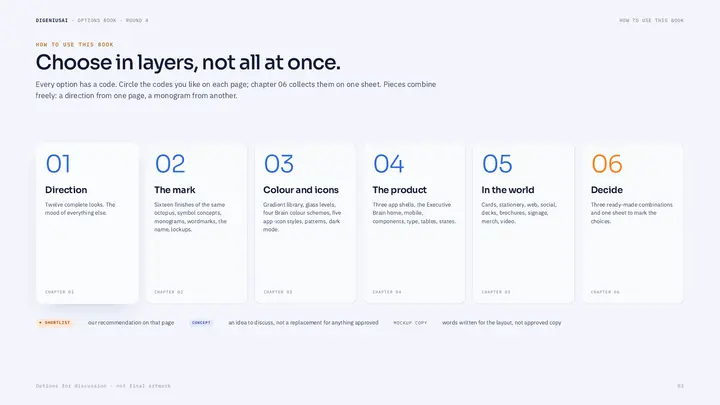
How To Use This BookChoose in layers, not all at once.R4 · Options book · p3
Decide · Three CombinationsOr choose once: three complete brands.R4 · Options book · p67
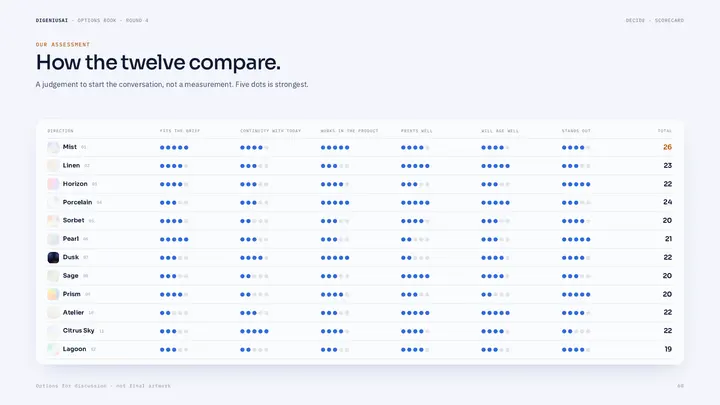
Decide · ScorecardHow the twelve compare.R4 · Options book · p68
Decide · The SheetOne sheet. Mark a box in every row.R4 · Options book · p69
Decide · What Happens NextFrom options to one brand.R4 · Options book · p70
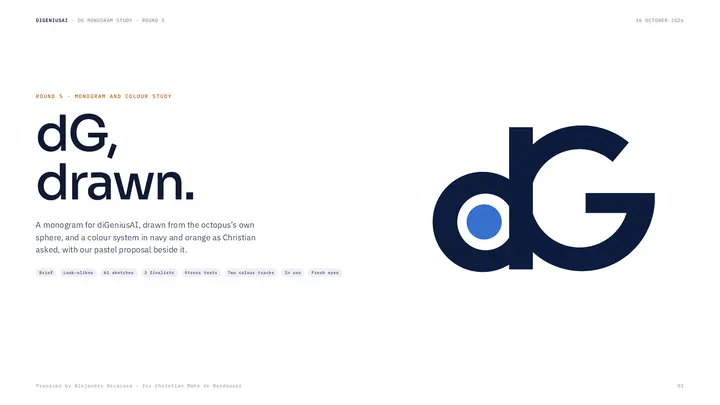
A monogram for diGeniusAI, drawn from the octopus’s ownR5 · dG monogram study · p1
The BriefThe octopus stays the logo. The dG is its short form.R5 · dG monogram study · p2
Fresh EyesFour agents with no context, one mark each.R5 · dG monogram study · p14

Make it with Claude

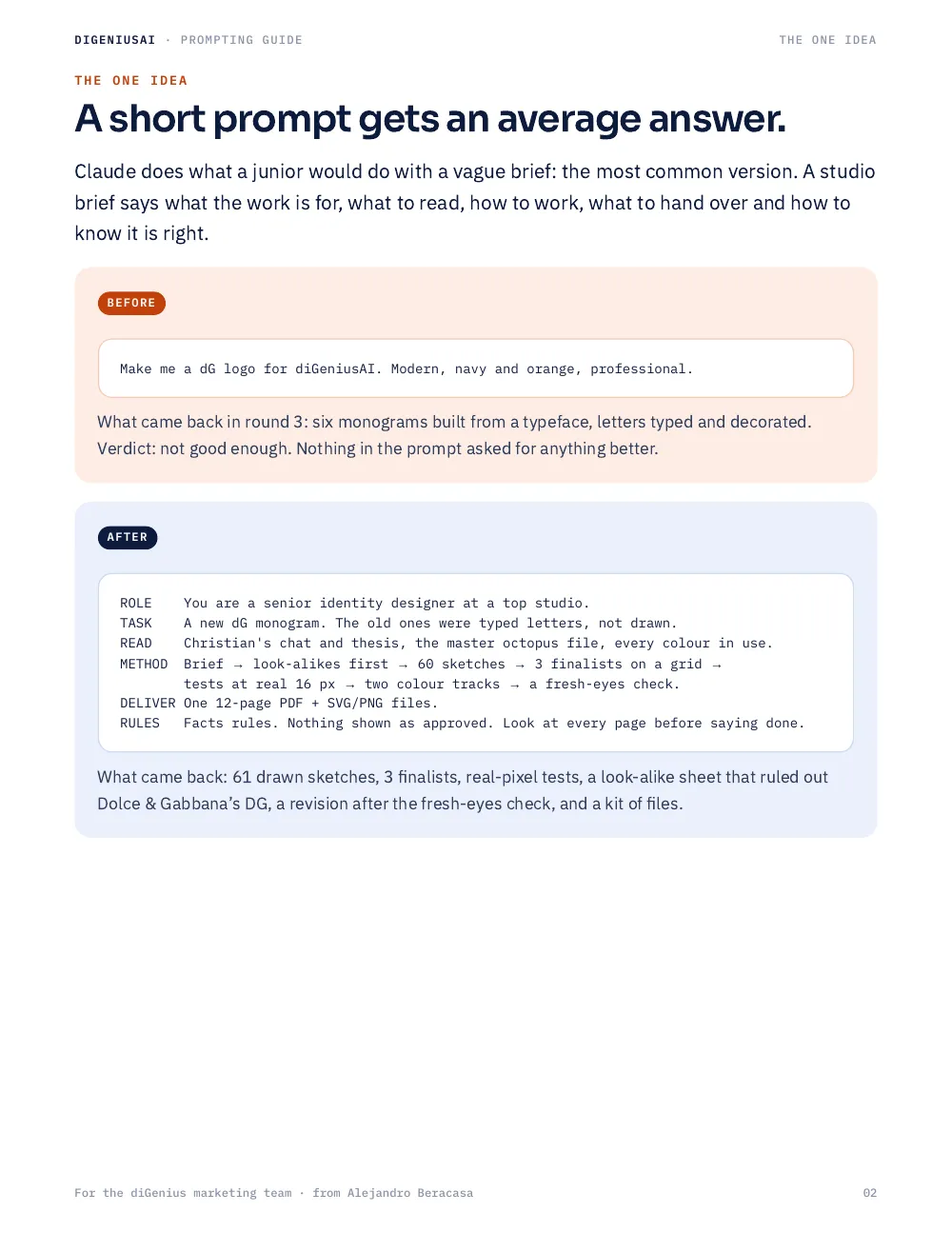
A short prompt gets an average answer.
A good brief gets you much further.

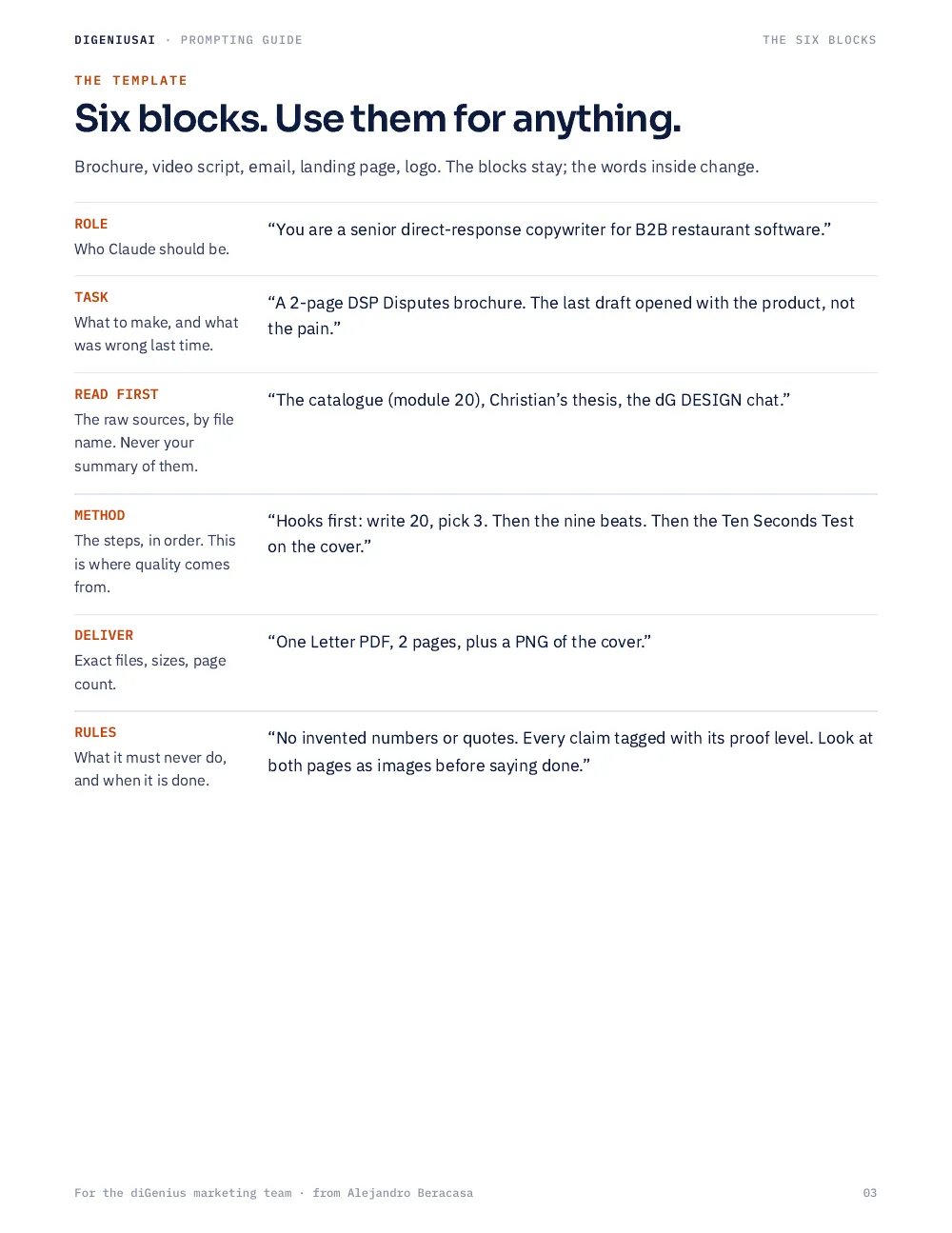
Six blocks that work for any brochure, post, page or logo. Each idea on the board has a ready prompt built this way; change the brackets and make it your own.

Set up once · 5 minutes

Give Claude the brand before you ask for anything.

The prompts refer to files by name. Put the reference pack in a Claude Project and every chat already knows the brand, the rules, Christian’s brief and the products. No prices are included.

Download the reference pack
Good habits
  • Before sending, paste the “go deeper” prompt (further down) under yours: Claude improves your brief first.
  • Ask Claude to look at every page as an image before calling it done.
  • Fresh eyes: open a new chat with no context, show only the result, ask what it reads and who it is for.
  • Never invent figures, prices, quotes or customers. End by asking what a person still has to check.
  1. 01
    Create the project

    On claude.ai, open Projects and create one called “diGenius marketing”.

  2. 02
    Upload the pack

    Unzip the pack and upload every file, logos included, to Project knowledge.

  3. 03
    Paste the instructions

    Paste the copied text into Project instructions. Done: start every chat there.

  4. 04
    Then, for each idea

    Open an idea on the board, tap 1 · Download image and 2 · Copy prompt. In a new chat in the project, attach the image, paste, fill in the [brackets].

01ROLEWho Claude should be

“You are a senior direct-response copywriter for B2B restaurant software.”

02TASKWhat to make, and what was wrong last time

“A 2-page DSP Disputes brochure. The last draft opened with the product, not the pain.”

03READ FIRSTThe raw sources, by file name

“The catalogue (module 20), Christian’s thesis, the dG DESIGN chat.”

04METHODThe steps, in order: quality lives here

“Write 20 hooks, pick 3. Then the nine beats. Then the Ten Seconds Test on the cover.”

05DELIVERExact files, sizes, pages

“One Letter PDF, 2 pages, plus a PNG of the cover.”

06RULESWhat it must never do, and when it is done

“No invented numbers or quotes. Look at both pages as images before saying done.”

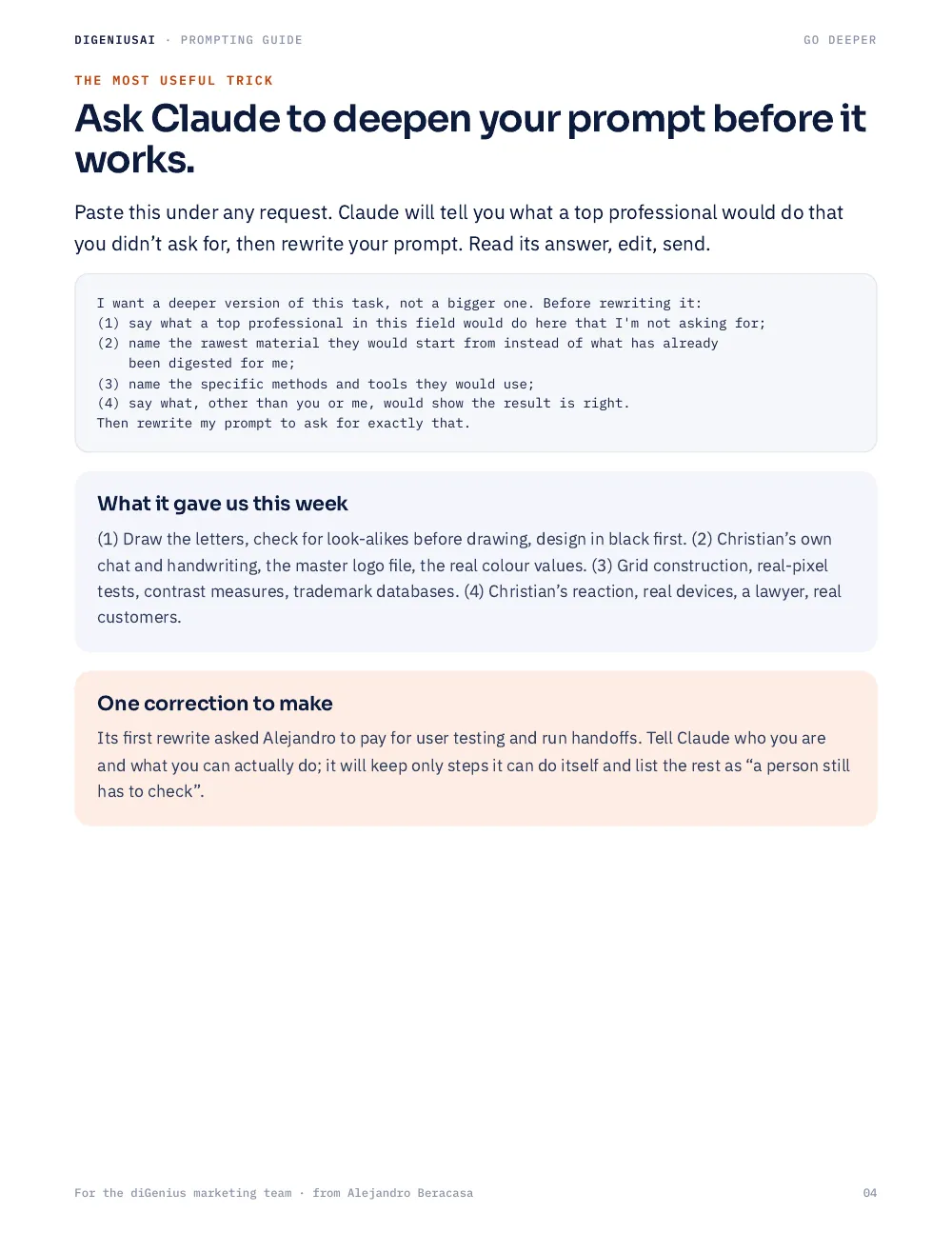
The most useful trick

Ask Claude to deepen your prompt before it works.

Paste this under any request. Claude says what a top professional would do that you did not ask for, then rewrites your prompt. Read it, edit, send.

I want a deeper version of this task, not a bigger one. Before rewriting it:
(1) say what a top professional in this field would do here that I'm not asking for;
(2) name the rawest material they would start from instead of what has already been digested for me;
(3) name the specific methods and tools they would use;
(4) say what, other than you or me, would show the result is right.
Then rewrite my prompt to ask for exactly that.
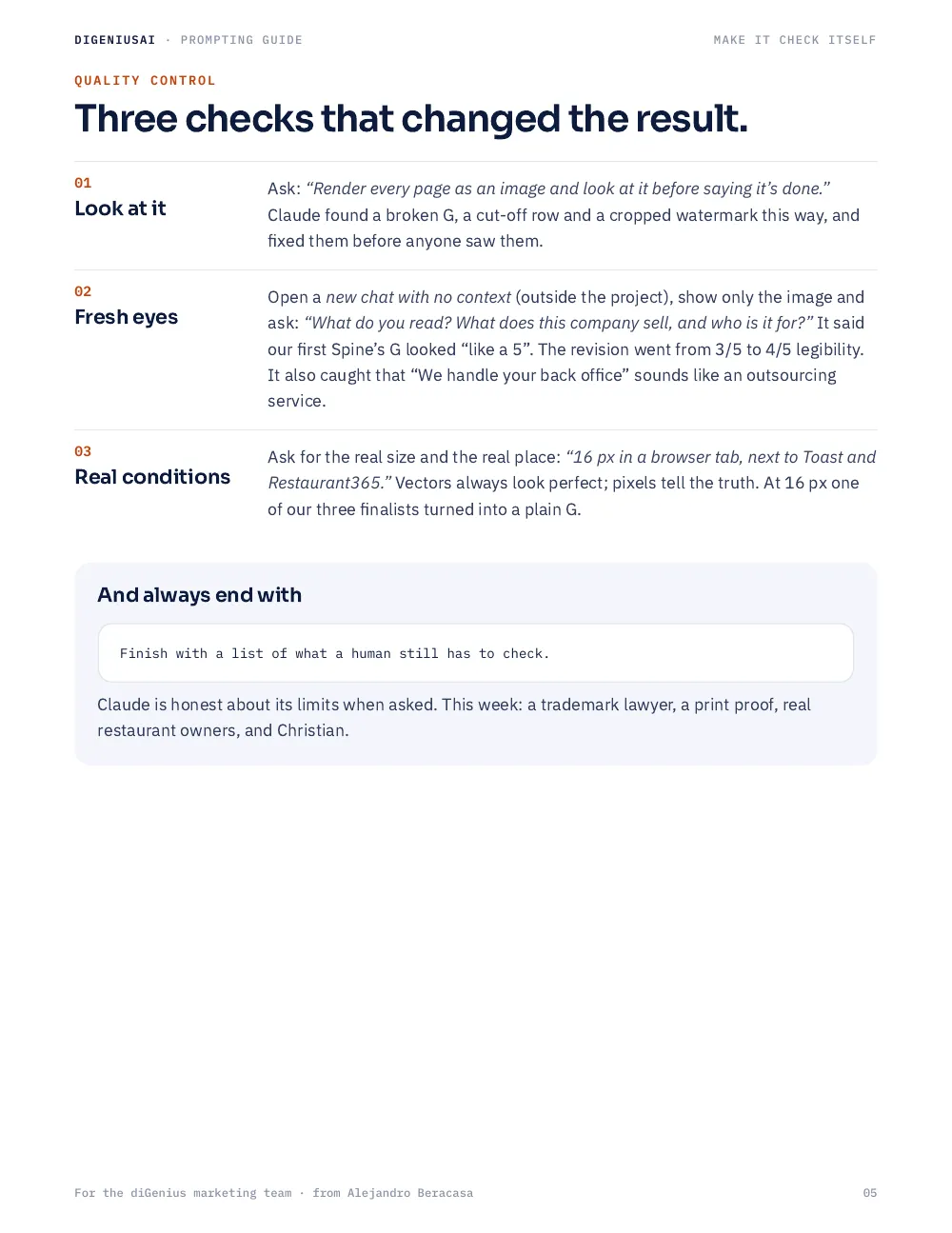
01Look at it

“Render every page as an image and look at it before saying it’s done.” This caught a broken letter and a cut-off row before anyone saw them.

02Fresh eyes

Open a new chat with no context, show only the result and ask what it reads and who it’s for. It said our first dG looked like a 5; the fix took legibility from 3/5 to 4/5.

03Real conditions

“16 px in a browser tab, next to Toast and Restaurant365.” Vectors always look perfect; pixels tell the truth.

The full guide, 7 pages

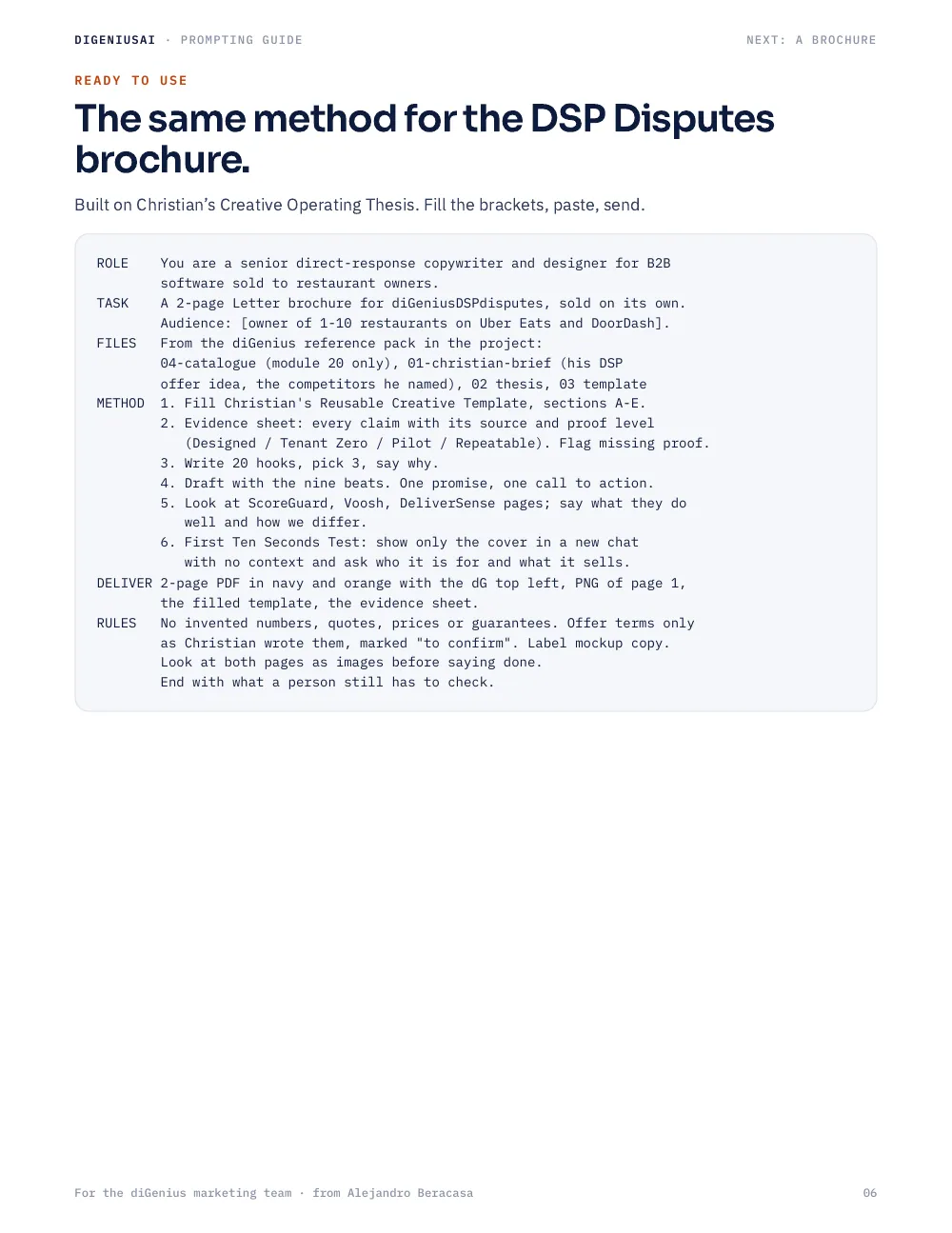
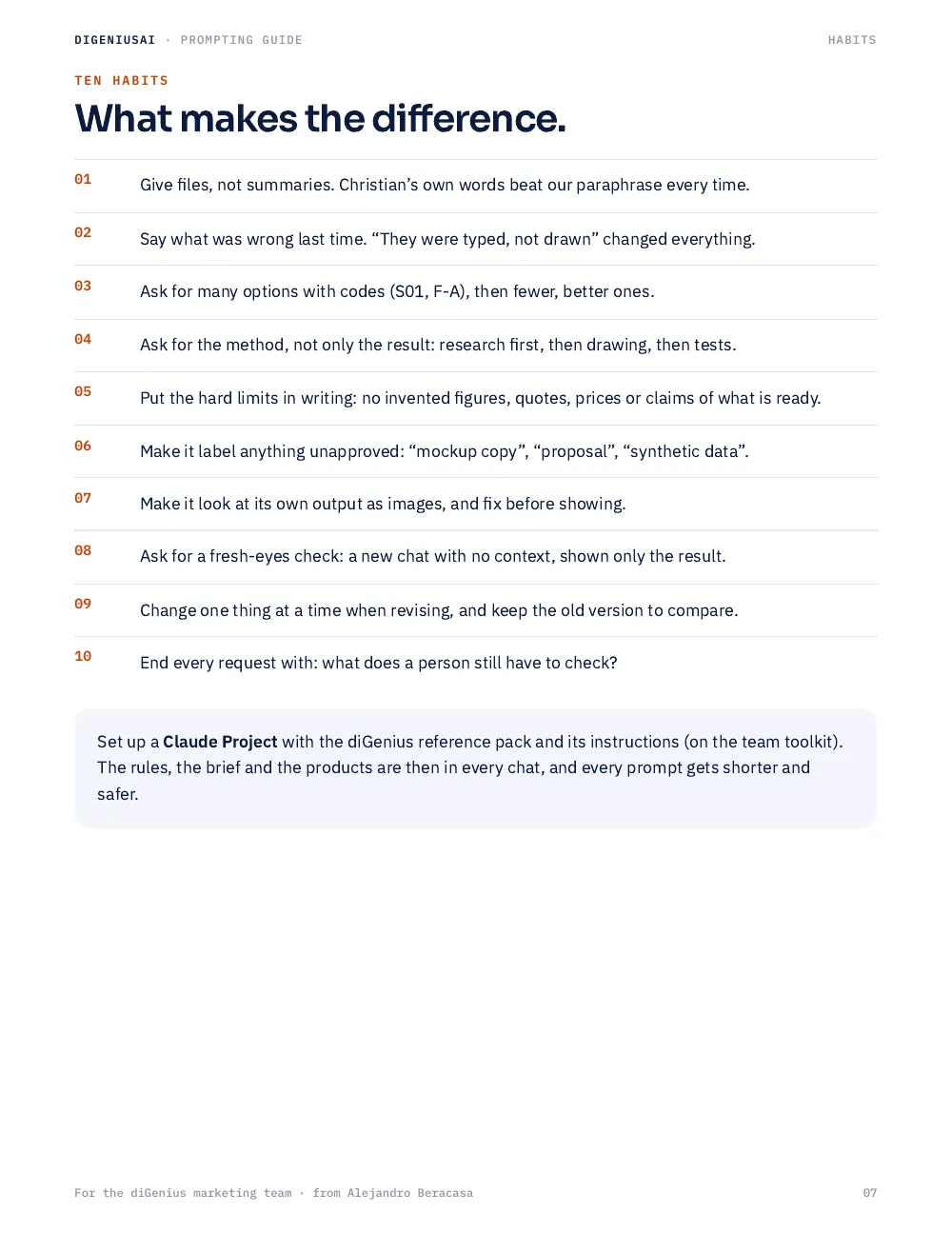
Before and after prompts, the six blocks, the deeper prompt, the checks, a ready DSP Disputes brochure prompt and ten habits.

Open the guide (PDF)
Prompting ClaudeThe One IdeaTh E Six BlocksGo DeeperMa Ke It Check ItselfN Ext : A BrochureHabits

Your say

Three open questions.

Where the team’s view helps Christian decide: the dG, the colour system and the mood. One vote each, with a line on why.